


Why can't you trust your CRM data?
Because you let things into it without any quality control, and inconsistent data is data you can't use. That's the whole story, and everything below is just the detail.
Data goes bad the moment you chuck anything in with no QA workflow. Every source brings its own shape. Sales deals carry one set of fields, your GTM sourcing carries another, the website form captures a third, and the delegate list from an event you ran last Tuesday carries almost nothing at all. Nobody agreed a standard, so the CRM slowly fills up with the same information written five different ways.
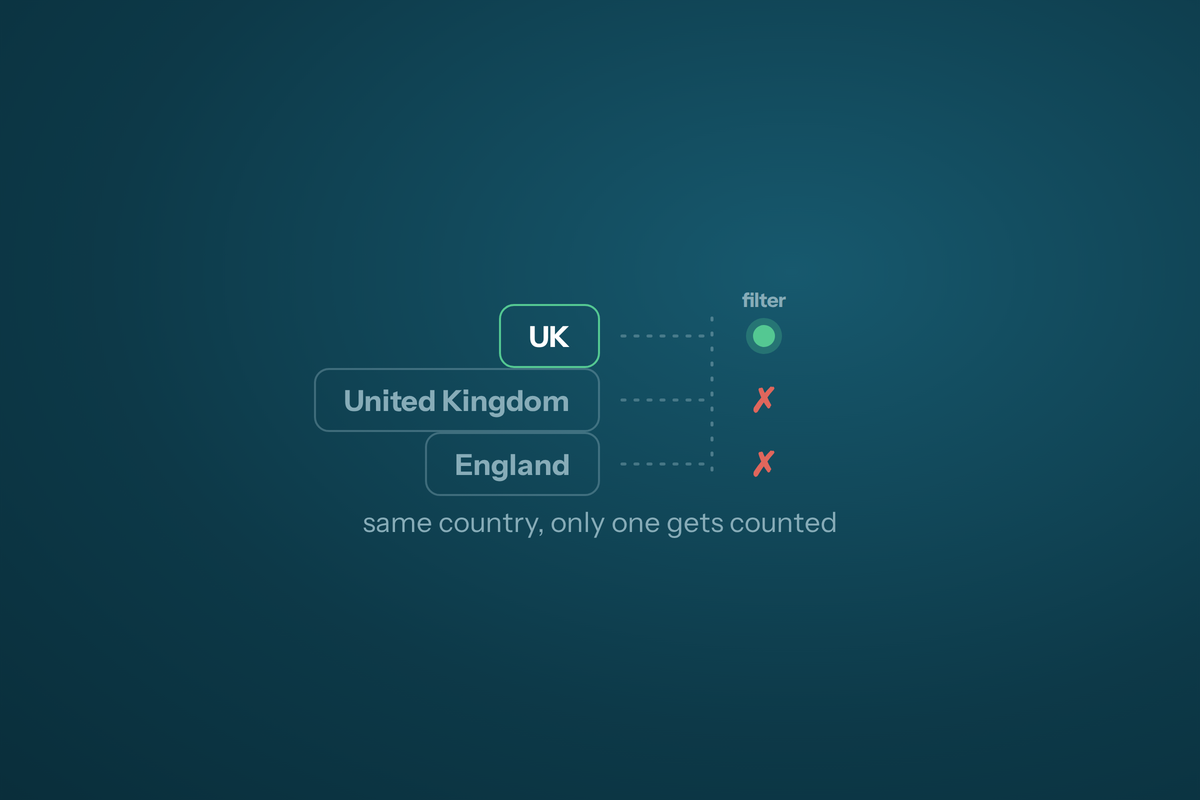
The classic is the country field. One record says "UK". The next says "United Kingdom". The next says "England", and the one after that says "Scotland". To a human they're obviously the same market. To a filter they're four different things. So when you build a segment for the UK, you catch a quarter of it and miss the rest, and you don't even know you've missed it.
Bad data isn't data that's wrong. It's data you don't use, because it's become too hard to use.
And that's the quiet killer. You don't get an error message. You just start reaching for the CRM less. Every filter needs an endless string of "or country contains England, or country contains UK, or country contains United Kingdom" before it returns anything sensible, and after the third time you build that by hand you stop trusting the numbers it gives you. A tool you don't trust is a tool you don't open.
What does bad data actually cost you?
It costs you the segments you most want to build, and it costs you the confidence of everyone who touches the system. Missing core fields is the worst of it, because a missing field doesn't return a wrong answer, it returns nothing.
Say you upload a list of leads from an event and, in the rush, the country field comes in blank. Later you go to build the segment you actually care about: tier-one UK accounts who attended an event. It returns zero. Not because there weren't any in the room, but because the field the filter needs was never filled. The people are in there. You just can't see them.
I saw a lovely example of the cost once. Someone on the team ran a filter and got two thousand results. I came in behind them, built what should have been the same segment, and got three thousand three hundred. The difference was five extra "or" statements catching all the variant spellings of the same countries. They were never going to add those five clauses themselves, because they didn't know the data was written five ways. So a third of their audience was simply invisible to them, and they'd have made decisions on the two thousand and never known about the rest.
How do you fix it?
You put three QA workflows between your data and your CRM, and you never let anything in that hasn't passed through them. Minimum required fields, then enrichment, then a transform to one consistent format.
One: minimum required fields on every upload. Decide the handful of fields a record cannot exist without, and refuse anything that arrives without them. For most B2B SaaS that's a valid email, a company, a country, and whatever you segment on most. If a source can't provide them, that's a problem you solve before the data lands, not after.
Two: enrich the gaps. You won't always get the fields you want at capture, and that's fine, because you can go and fetch them. Run every incomplete record through an enrichment step: if it's missing any of, say, twenty fields you care about, an engine like Clay or your CRM's own enrichment goes and fills them. Industry, headcount, revenue, the country you were missing. The blank event list becomes a usable one without anyone typing.
Three: transform to one consistent format. This is the step people skip and the one that saves your sanity. Force everything into a single agreed shape. Country names or country codes, pick one, and convert every record to it. Phone numbers stored with their country code so they're click-to-call rather than a guess. Emails validated and verified, not just present. From then on "UK" means one thing, and a filter for it captures everything, not a fraction.
This is the same discipline that keeps a CRM rebuild from collapsing. If you want the longer version of why these projects go wrong, we wrote about why CRM rebuilds fail in the first 90 days, and the answer is nearly always the data underneath.
What about fields you can't standardise, like closed-lost reasons?
You capture them twice: once as a dropdown for reporting, and once as a free note for the real insight. The two jobs are different, so you don't make one field do both.
Take closed-lost. If you let people type why a deal died, you get three hundred phrasings of the same four reasons and you can report on none of it. So you use a dropdown that forces a category: price, qualification, timing, and so on. Now you can pull the classic report, the one that says a third of your losses are on price, and act on it.
But a dropdown flattens the truth. "Price" doesn't tell you that on the last call they brought in an extra person, the CFO was iffy on budget, and the timing collided with their own renewal. So you add a second field, a voice-to-text note, where the rep dumps what actually happened in plain speech. The dropdown drives the clean CRO reporting. The note holds the context. Later you can point AI at the notes to find patterns across them that no dropdown would ever have surfaced. Fact in one field, colour in the other.
What does clean data actually unlock?
It unlocks the whole company using the CRM, not just the one person who knows where the bodies are buried. That's a bigger deal than it sounds.
When we ran that cleanup, the country, city and street formatting, plus enrichment, plus the consistency workflow, the first thing it unlocked was my sanity. No more twenty "or" statements to build a basic segment. But the real win was watching people who aren't marketers start building their own filters and exploring the data on their own. Someone types "England", gets nothing, tries "UK", gets nothing, tries "United Kingdom", and there it is. Once. After that they know the data's consistent, they trust it, and they stop asking me to pull lists for them.
Consistent data means everyone can use it, and a company where everyone can use the data is a better company.
That's the payoff. Not a tidier database for its own sake, but a CRM that a salesperson, a founder or a customer success lead can open and interrogate without a translator. Trustworthy data is what makes all the automation downstream of it worth building, which is why we treat it as the foundation of everything in CRM and automation work.
If your filters need a paragraph of "or" statements before they return anything, that's the tell. Book a free Growth Audit and we'll look at where your data's leaking and map the QA workflows that stop it.
Frequently asked questions
What are the minimum fields I should require on every CRM upload?
The handful a record can't be useful without: a valid, verified email, a company name, a country in one agreed format, and whatever you segment on most, usually industry, headcount or account tier. If a source can't provide them at capture, enrich the record before it lands rather than letting a half-empty row into the system.
Should I store country as a name or a code?
Pick one and convert everything to it. It doesn't matter hugely whether it's "GB" or "United Kingdom", what matters is that every record uses the same value, so a single filter captures the whole market instead of a fraction. The transform step is where you enforce that.
How does enrichment help with dirty data?
Enrichment fills the gaps you couldn't capture. If a record is missing any of the fields you care about, an engine like Clay or your CRM's built-in enrichment goes and fetches them, so a nearly-blank event list becomes a fully segmentable one without anyone typing.
Why capture closed-lost reasons twice?
Because a dropdown and a note do different jobs. The dropdown forces a clean category (price, qualification, timing) so you can report across deals. The free voice note holds the real story behind the loss, which you can later mine with AI for patterns no dropdown would ever surface.